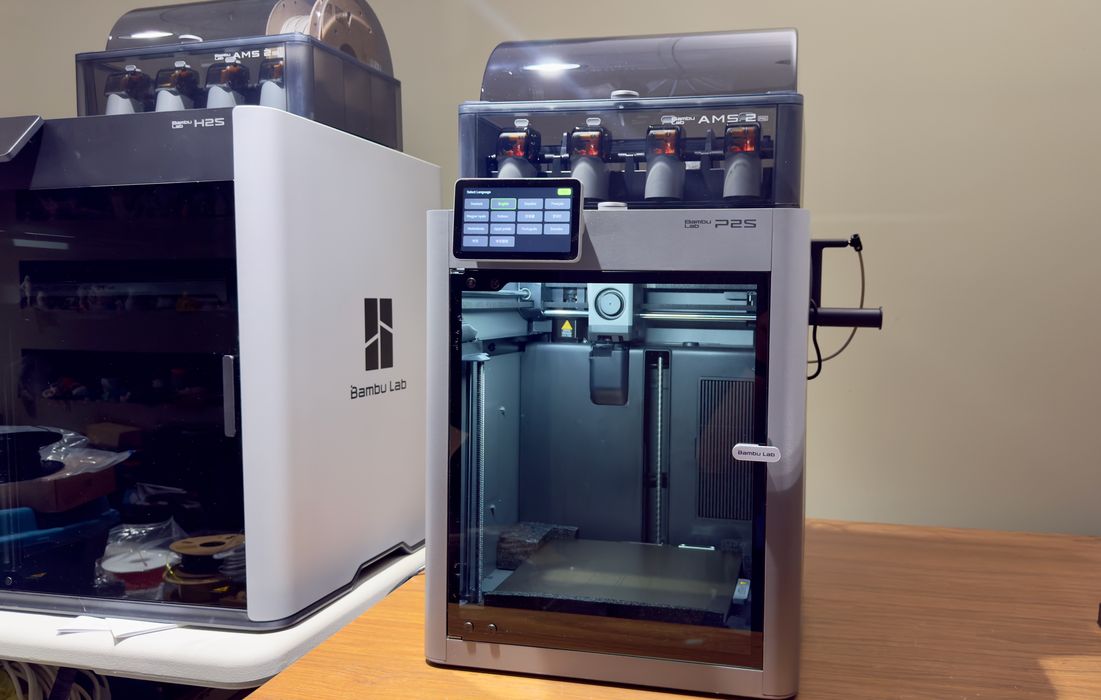
• Our review of the Bambu Lab P2S desktop 3D printer continues with a look at assembly and configuration. • This is part two of a four part series, please read partsone,threeandfour. • Bambu Lab P2S Combo Unboxing and Assembly We’re testing the “combo” unit, which means that there is not only the 3D printer, but also an AMS (Automated Material System). • The AMS can hold four spools at a time and can automatically switch them during a print job for multicolor objects. • Note that the AMS version shipping with the P2S is the latest AMS 2 Pro, which not only serves filament, but it can also act as a filament dryer. • The first thing I noticed was that the shipping box was surprisingly small.
Article Summaries:
- Our review of the Bambu Lab P2S desktop 3D printer continues with a look at assembly and configuration. This is part two of a four part series, please read parts one, three and four. Bambu Lab P2S Combo Unboxing and Assembly We’re testing the “combo” unit, which means that there is not only the 3D printer, but also an AMS (Automated Material System). The AMS can hold four spools at a time and can automatically switch them during a print job for multicolor objects. Note that the AMS version shipping with the P2S is the latest AMS 2 Pro, which not only serves filament, but it can also act as a f
- Our review of the Bambu Lab P2S desktop 3D printer continues with a deep look at operations. This is part three of a four part series, please read parts one, two and four. Bambu Lab P2S Combo Operations The P2S can’t do anything without filament, so I had to load some up. This involves placing the spools into the AMS and feeding the leads into the AMS ports. It’s a very easy process, and once a spool is mounted, the P2S spins them around to read the tag. Tag? Bambu Lab spools are all electronically tagged to allow the machine to automatically “know” what type of material and color is on that s
- Our look at the Bambu Lab P2S desktop 3D printer concludes with software, print results and final thoughts. This is part four of a four part series, please read parts one, two and three. Bambu Lab P2S Software For our tests we used Bambu Lab’s default software options, which are BambuStudio (desktop) and Bambu Handy (smartphone). Both are mature apps that have undergone plenty of revisions. From BambuStudio you can easily see the current state of the machine, including the AMS loading configuration. You can sync these materials to the preparation tab so that you can include them for your 3D mo
Sources:
- https://www.fabbaloo.com/news/hands-on-with-the-bambu-lab-p2s-combo-part-2
- https://www.fabbaloo.com/news/hands-on-with-the-bambu-lab-p2s-combo-part-3
- https://www.fabbaloo.com/news/hands-on-with-the-bambu-lab-p2s-combo-part-4 (Latest source article published: 2026-02-19 16:15 UTC)