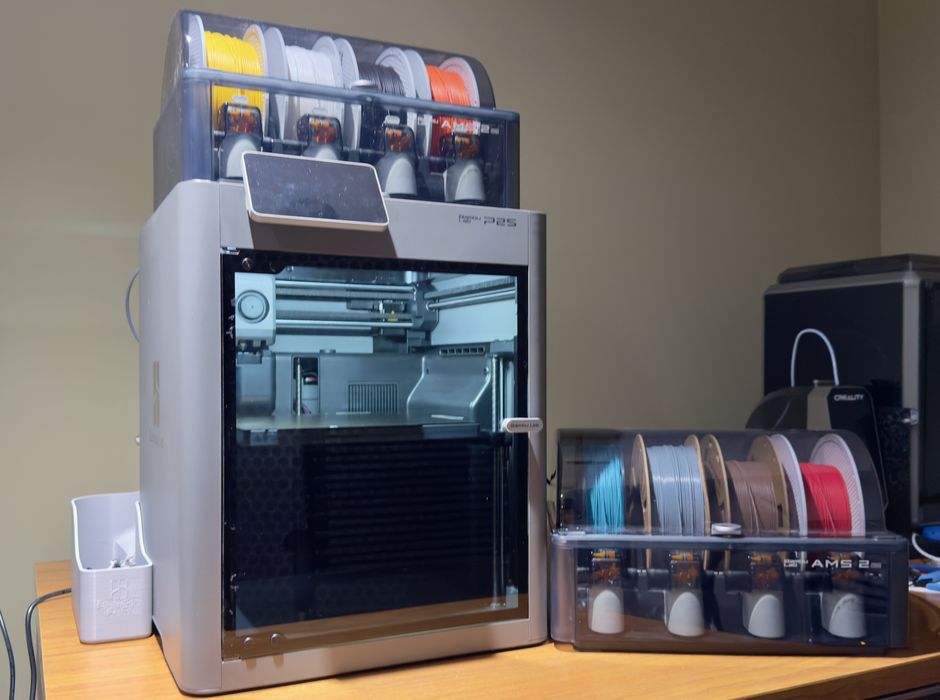
• We’re a bit late to the party, but we’ve just completed a long test of the new Bambu Lab P2S desktop 3D printer. • This is part one of a four part series, please read partstwo,threeandfour. • Bambu Lab Combo P2S Background The P2S is Bambu Lab’s latest device, replacing the P1S that is still quite popular. • The company began by releasing the X1C, and then provided two similar models that essentially removed some X1C features and sold at lower price points. • One was the P1P (now discontinued) and the other was the P1S. • The X and P series all sport a 256 x 256 x 256 mm build volume, making them ideal for smaller desktop setups.
Article Summaries:
- The review introduces Bambu Lab’s new P2S desktop 3D printer, a successor to the popular P1S. Both models share a 256 mm cubic build volume, but the P2S offers higher performance: up to 600 mm/s (practical ~300 mm/s), 40 mm³/s extrusion, a hardened steel nozzle, and a quick‑swap system. It supports a wide range of filaments, including composites and flexible materials, and features a steel frame, air filtration, HD webcam, and neural‑processing unit. The “Combo” package includes an AMS Pro 2 for automated filament switching, drying, and storage. The P2S’s launch in the U.S. was delayed, prompting many buyers to purchase discounted P1S units, potentially missing the newer machine’s advantages.
- The review continues the Bambu Lab P2S desktop 3D printer series, focusing on the “combo” unit that includes an AMS 2 Pro automated material system. Packaging is compact, with the printer bagged and lifted out of the box, while the AMS is stored inside the build chamber and removed after shipping bolts are loosened. Assembly is largely pre‑assembled, requiring removal of tape, foam, and a few shipping bolts; the build plate is secured by foam‑filled bolts that must be removed. The AMS can hold four spools and act as a filament dryer. The reviewer notes difficulty with a rear bolt that could not be loosened, indicating a potential assembly issue.
- Hands On With The Bambu Lab P2S Combo, Part 3 The review focuses on the Bambu Lab P2S desktop 3D printer’s operational workflow. Filament is loaded into the AMS, where electronically tagged spools automatically identify material type and remaining quantity. The author tested the printer with a pre‑sliced #3DBenchy job, a multicolor model, and a bolt tester, noting good print quality but a slight under‑extrusion on the top layer. The P2S displays a post‑print panel that offers immediate support. The review also highlights the need for a catch box for purge waste and explains how abrasive carbon‑fiber PLA must be fed from an external spool rather than the AMS to avoid wear.
- The Bambu Lab P2S desktop 3D printer’s final review highlights its mature software suite-BambuStudio for desktop and Bambu Handy for mobile-offering real‑time machine status, AMS material sync, and color‑assignment warnings (e.g., ABS requires a closed door). The slicer provides detailed waste metrics and bulk material changes via shift‑click selection. Print tests show high‑quality results across PLA, PETG, TPU, ASA, and ABS, with minor under‑extrusion on PLA‑CF and PETG that can be mitigated by parameter tweaks. A large PETG “poop bucket” and interlocking spool containers printed accurately, while ASA/ABS specimens exhibited no warping, underscoring the P2S’s versatility.
Sources: